10 Sites Like Instagram for Events and Photo Sharing
Compare 10 sites like Instagram for event photos, private sharing, galleries, cloud storage, and guest uploads, including practical pros and cons.
Instagram is the familiar answer when you want to share photos fast, but it stops being the right home the moment your event has different rules. A wedding couple may want guest uploads without public posting. A conference team may need controlled access, approval before publishing, and original files for the recap deck. A family reunion host may want one gallery that grandparents can open without learning a new app.
That's why searches for sites like Instagram often hide a more practical question. Not “what looks like a social feed?” but “where should these photos live once many people start contributing?” Public discovery, private access, guest upload friction, file ownership, and long-term storage pull in different directions.
The best alternative depends on the full event-photo workflow. How do guests contribute. Who can see the gallery. Who moderates it. Does the platform organize images well after the event is over. Can you export everything cleanly. Those questions matter more than whether a service has hearts, comments, or a grid layout.
Instagram became the reference point for visual sharing unusually fast. It launched on October 6, 2010, passed over 100,000 users in about a week, reached 1 million users in roughly two months, and was acquired by Facebook in 2012 for about $1 billion in cash and stock, according to this Instagram growth timeline. That history explains why people still start with Instagram in mind, even when they need something more private or more structured.
The options below move from familiar cloud storage to professional galleries and event-first collection tools. Along the way, EventUploader is relevant for one specific gap: collecting contributions through a branded page, link, or QR code without requiring an app or account.
Table of Contents
- 1. Google Photos
- 2. Flickr
- 3. Dropbox
- 4. Amazon Photos
- 5. OneDrive
- 6. SmugMug
- 7. Zenfolio
- 8. Shared Cloud Storage
- 9. Momento and Photo Vault Apps
- 10. Shared Photo Wall and Guest Book Platforms
- Top 10 Instagram Alternatives, Side-by-Side Comparison
- Match the Platform to the Way Photos Move
1. Google Photos
A child's birthday party often produces the same problem by evening. Twenty guests have photos, half of them sit in text threads, and nobody wants to build a gallery from scratch the next day. Google Photos solves that workflow better than it solves public photo discovery, which is why it works best for private events with a known guest list.
Its advantage is practical control over the full event cycle. Guests can contribute directly to a shared album, the host keeps one central collection, and the photos stay in a format families will revisit later. That makes Google Photos closer to a private event archive than to Instagram's feed and discovery model.
Where it fits best
For a reunion or birthday, the setup is straightforward. One organizer creates the album, shares the link or QR code, and relatives add pictures during the event. Afterward, the same album still works as the long-term family record, which is a meaningful difference from tools that collect uploads well but do little to display them over time.
A small wedding is a more mixed case. Google Photos can work well for immediate family, the wedding party, and close friends who already use Google services. It is less reliable for a broad guest crowd, where even light account or permission friction lowers contribution rates.
Google Photos is also weaker for a professional shoot. A photographer delivering polished selects usually needs tighter presentation, clearer client-facing gallery design, and more deliberate curation than a shared family album provides.
How it compares across the event-photo workflow
- Guest contribution: Strong for small groups who already understand Google accounts and shared albums.
- Access control: Better for private sharing than public discovery. The host decides who gets the album, but the experience is still built around Google's sharing system rather than a custom event page.
- Organization and display: Solid for chronological browsing and later retrieval. Less suited to a polished showcase where presentation carries as much weight as storage.
- Long-term storage: One of its stronger use cases. Families often keep returning to the same album long after the event ends.
The trade-off is clear. Google Photos handles private contribution and long-term keeping well, but it is not the best fit for branded events, tightly moderated intake, or large live events where guest upload friction has to be as low as possible.
If you are comparing tools based on how guests will join the album, this guide on creating a link to share photos for an event helps clarify the setup questions before you commit to a platform.
2. Flickr
A wedding with one hired photographer and fifty guests creates two different photo problems. Guests want a quick place to drop phone pictures. The photographer needs a gallery that can still be searched, grouped, and revisited months later. Flickr fits the second job far better than the first.
That distinction matters if you are comparing sites like Instagram by the full event workflow, not just by whether they can hold images. Flickr is built for curation and browsing. Albums, tags, titles, and photographer-controlled organization give it more staying power than a social feed or a basic shared folder.
For a photography-focused wedding or an art-school exhibition, that structure is useful because the host can separate polished coverage from casual guest images instead of mixing everything into one stream. A professional event shooter can also keep recurring client work organized by event, season, or venue without sacrificing display quality.
Guest contribution is the weak point. Flickr works best when one person, or a small team, acts as curator. For a large live event where dozens or hundreds of attendees are expected to upload from their phones during the event, account friction and moderation overhead make it a poor collection tool.
A practical use case is a nonprofit gala with an official photographer. The organizer can publish a clean Flickr gallery after the event, grouped into arrivals, stage moments, and candid tableside shots. Guests get a better viewing experience than they would from raw cloud storage, while the organizer keeps tighter control over what appears publicly.
Use Flickr if the priority is lasting presentation and retrieval.
Its trade-off is clear across the workflow:
- Guest contribution: Limited for broad, real-time crowd uploads. Better when contribution comes from the host, the photographer, or a small approved group.
- Access control: Better for curated sharing than for tightly private collaboration. It can present galleries well, but it is not the strongest choice for sensitive family events where access needs to stay narrowly restricted.
- Organization and display: One of Flickr's strongest areas. Tags, albums, and a gallery-first layout help when images need to remain useful after the event ends.
- Long-term storage: Strong for archives people will revisit. Less effective as a temporary intake system for fast-moving event coverage.
For private celebrations, Flickr makes the most sense as the polished archive after photos have been selected. For professional shoots, it is often a stronger fit because presentation and retrieval matter. For large live events, choose it for publishing the final gallery, not for collecting every attendee upload.
3. Dropbox
At a conference, photos usually move through three stages in quick succession. Attendees and vendors send files from phones. The organizer sorts what is usable. A marketing or editing team downloads selected images for publishing. Dropbox fits that workflow better than platforms built around browsing.
Its role in this list is narrow but clear. Dropbox works well when contribution and access need to be separated. File Requests let guests upload without opening the full archive, which matters for school events, branded activations, and client work where the host needs a single intake point but does not want every contributor browsing, renaming, or deleting files.
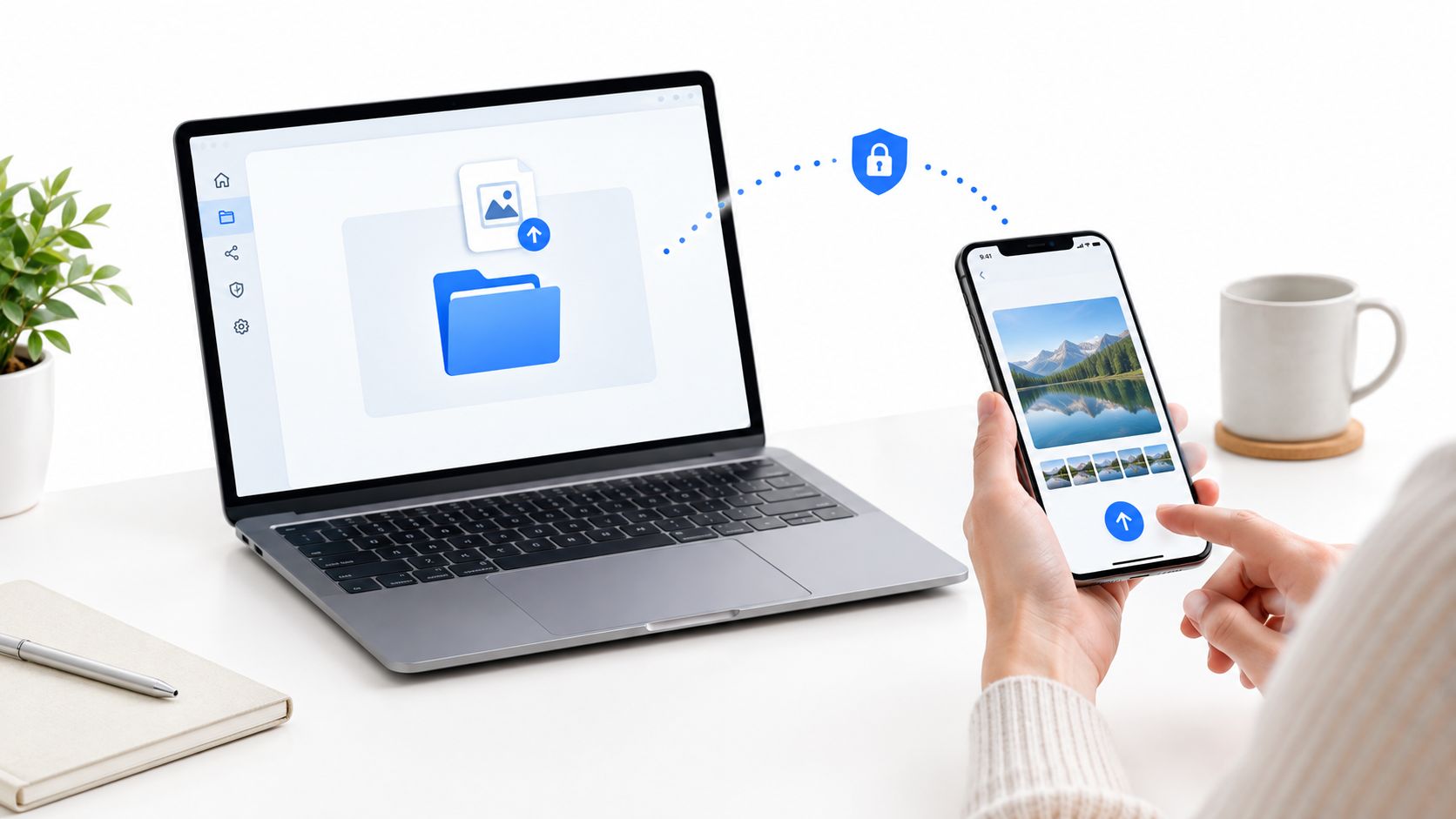
A useful test is to ask what happens after upload. Dropbox is efficient if the next step is review, culling, editing, or client delivery. It is less effective if guests are supposed to relive the event inside the same space. Folder views are practical, but they rarely feel like an album people want to revisit.
For a professional shoot, that trade-off often works in Dropbox's favor. A photographer can collect venue reference shots from the client before the event, keep working files private during editing, and deliver finals in an organized folder set after the shoot. For a private celebration, the same structure can feel cold. Families usually want visible albums, easier browsing, and less of a document-management feel. For a larger live event, Dropbox is often strongest behind the scenes as the intake and handoff layer rather than the public-facing gallery.
Keep uploads, selects, and finals in separate folders. That structure reduces version confusion and makes downstream editing faster.
The full workflow looks like this:
- Guest contribution: Strong for controlled submissions, especially from large groups who only need an upload link.
- Access control: One of its better advantages. Hosts can collect files without exposing the full library.
- Organization and display: Strong for internal sorting and delivery. Weak for discovery, celebration, and casual browsing.
- Long-term storage: Reliable for archived project assets and client handoff. Less appealing as a living photo space guests return to for enjoyment.
Choose Dropbox when the event photo process behaves more like production than social sharing. It suits corporate conferences, media teams, and professional delivery well. It is a weaker fit when the goal is a warm, private gallery that guests will browse long after the event ends.
4. Amazon Photos
A family reunion creates a photo problem Instagram never really solved. Cousins want to add phone shots, grandparents want a simple gallery, and the host usually wants the album to stay private long after the weekend ends. Amazon Photos fits that workflow better than platforms built around public discovery.
Its advantage is not presentation. It is continuity. Amazon Photos works well when the event album should keep growing after the date itself, with travel photos, rescans of older prints, and candid follow-ups from different relatives. That makes it more suitable for a wedding weekend, anniversary trip, or graduation season than for a fast-moving public event where live visibility matters.
Recent comparisons of private-sharing options make the same distinction. Many people trying to avoid public feeds and open discovery want invite-based access and tighter sharing controls, as described in this comparison of private photo sharing apps.
The full event-photo workflow is where Amazon Photos becomes clearer to evaluate.
For guest contribution, it works best with a defined circle rather than a crowd. Family members or close friends can add images over time, but the process is better for known participants than for hundreds of guests at a conference or festival. For access control, the private setting is a real strength. Hosts can keep the album limited to invited people, which changes the tone of sharing and lowers the pressure to post only polished images.
Organization is functional rather than expressive. Photos are easy to store, revisit, and keep in one place, but the viewing experience is closer to a household archive than an event page. That trade-off matters. A private celebration usually benefits from that calm, archival feel. A professional shoot or branded launch usually needs cleaner presentation, stronger curation, or a more deliberate guest-facing display.
Long-term storage is the strongest reason to choose it.
If the goal is to preserve an event as part of an ongoing family library, Amazon Photos has a stronger case than tools built mainly for short-term delivery or public engagement. If the goal is live participation, visual buzz, or a polished gallery that feels designed for the event itself, it starts to look limited.
5. OneDrive
A university alumni office finishes a reunion weekend with photos scattered across staff phones, a photographer's export folder, volunteer uploads, and the slide deck for the donor recap. OneDrive fits that workflow better than platforms designed around public discovery.
Its value is operational control. Guest contribution is possible, but the model favors known contributors with Microsoft accounts, approved upload links, or staff-managed folders rather than a loose crowd posting in real time. That makes OneDrive a weaker fit for a wedding or birthday where the host wants fast, low-friction participation from every guest. It makes more sense for institutions that already sort event media by department, date, campaign, or approval status.
Access control is the clearest advantage. A communications team can limit who uploads, who edits, and who only views. For schools, nonprofits, and companies, that matters because event photos often move into newsletters, annual reports, internal archives, or compliance records. The photo album is only one step in a longer chain.
Display is the trade-off. OneDrive organizes well through folders, file naming, and shared libraries, but the viewing experience feels administrative. People can find files quickly. They are less likely to browse the collection the way they would on a gallery-first platform.
That difference shapes the best use case.
For a corporate offsite, conference speaker team, or alumni event run by staff, OneDrive keeps contribution, permissions, and later reuse in one system. For a private celebration, it can feel too much like document management. For a professional shoot, it works better as a delivery back end than as the client-facing gallery itself.
The long-term storage case is strong if the host cares about retention and institutional memory more than presentation. OneDrive works best when event photos need to stay connected to the rest of the organization's files, not stand alone as the event experience.
6. SmugMug
A couple finishes their wedding weekend with hundreds of guest snapshots on phones and one edited set from the photographer. Those two streams create different needs. Guests want quick sharing during the event, while the couple usually wants a finished gallery they can revisit, print from, and keep under tighter control. SmugMug fits the second part of that workflow far better than the first.
Among sites like Instagram, SmugMug stands out for hosts or photographers who care about presentation after selection. The key trade-off is straightforward. It gives the gallery owner strong control over display, branding, privacy, and long-term access, but it is less natural for broad guest contribution during the event itself.
For event-photo workflow, that matters.
SmugMug works best once one person, usually the photographer, studio, or a highly organized host, decides what belongs in the final collection. Access control is a real strength here. A private gallery, client login, or password-protected album makes sense for weddings, portrait sessions, and paid event coverage where the audience is known in advance. Photo discovery is also stronger than in plain cloud storage because the gallery is designed to be browsed as a finished body of work, not just retrieved file by file.
That same structure creates a limitation for guest uploads. If the event depends on dozens or hundreds of attendees adding photos from their own devices with minimal instruction, SmugMug is less efficient than tools built around open contribution. It favors curation over live collection.
A professional shoot tied to an event is the clearest fit. Engagement parties, graduation sessions, family milestone portraits, and weddings often need a polished delivery layer where the host or client can view images as a coherent gallery instead of a mixed dump of originals. For that use case, SmugMug often does a better job than social apps at balancing privacy, display quality, and long-term storage. If the goal is a branded gallery that can also sit on a business site, this guide to choosing a photo gallery for a website is useful.
SmugMug is weaker for a birthday party, reunion, or school event where the main challenge is getting every guest to contribute quickly. It is stronger when the event has a clear editor, a defined audience, and a final gallery that needs to last beyond the weekend.
7. Zenfolio
A wedding photographer finishes editing on Sunday night. By Monday, the couple wants a private gallery, parents want download access, and some guests want to order prints without emailing for files one by one. Zenfolio fits that workflow better than platforms built mainly for social sharing or casual backup.
Its value shows up after the cameras are put away. Guest contribution is limited compared with tools that invite everyone to upload from a phone during the event, so Zenfolio is a weak choice for a reunion or birthday party built around crowd-sourced coverage. It is stronger when one photographer or studio controls the final set, decides what appears in the gallery, and keeps client access separate across many events.
That distinction matters.
For a school portrait business, youth sports league, or recital photographer, Zenfolio does more than display images attractively. It supports a repeatable handoff: separate galleries by client or event, controlled access, organized collections, and a path to downloads or print orders later. Photo discovery is better than in a plain folder because families browse finished galleries rather than sort through raw file names. Long-term storage also matters more here, since clients often return weeks or months later.
A private celebration host may find that structure excessive. A professional shooter with recurring bookings may find it efficient.
Where Zenfolio fits best
Use Zenfolio for event work that ends in curated delivery, not open collection. A wedding studio, dance photographer, or tournament photographer can keep galleries branded and easy to revisit, while still giving clients a cleaner experience than generic cloud storage.
The trade-off is straightforward. Zenfolio improves presentation, access control, and post-event sales, but it adds friction if the main job is gathering images from dozens of attendees in real time. For private celebrations, that usually points elsewhere. For professional event coverage that needs to look polished and stay accessible over time, Zenfolio is one of the clearer Instagram alternatives.
8. Shared Cloud Storage
A 30-person birthday dinner often exposes the limits of Instagram-style sharing. Half the guests shoot on iPhones, a few use Android, one cousin brings a real camera, and by the next morning the photos are split across texts, AirDrop transfers, and random social posts. Shared cloud storage can solve that, but only if the host chooses a setup that matches how guests will contribute.
The practical comparison is less about branding and more about workflow. An iCloud Shared Album works well when nearly everyone uses Apple devices and the goal is casual group contribution during or right after the event. The host invites specific people, guests add photos from their Camera Roll, and everyone sees a simple album view rather than a file tree. A Google Drive folder handles a different situation. The host can create one folder, send a link, and let guests upload from any device, which is easier for mixed groups but less polished to browse later because photos usually arrive as files first and a gallery second.
That difference affects the whole event-photo chain. iCloud keeps access tighter because invites are tied to specific participants, but it is less friendly to a mixed-device crowd. Drive is more flexible for contribution, especially for office events, reunions, or community gatherings where not everyone shares the same tech habits. The trade-off is control. A folder link can collect images quickly, but the host needs to set permissions carefully if they do not want edits, deletions, or accidental oversharing.
For a small family holiday, iCloud often feels natural because contribution, viewing, and privacy stay inside one familiar Apple workflow. For an internal company party, school fundraiser, or volunteer event, Google Drive or OneDrive usually fits better because guests can upload without joining a new photo-specific service. In both cases, discovery is functional rather than memorable. People retrieve photos, sort by date or filename, and download what they need. They are not getting the curated gallery experience that SmugMug or Zenfolio is built to provide.
Shared cloud storage makes the most sense when storage and access matter more than presentation. It is strong for keeping the full set in one place over time, including original files from a photographer or a few guests with better cameras. It is weaker for events where the album itself is part of the experience, or where dozens of people need a guided, low-friction way to contribute in real time.
9. Momento and Photo Vault Apps
A first birthday creates two photo jobs, not one. Relatives need an easy way to send what they captured. Parents often want a quieter place to keep the images that matter a year later, with tighter control over who can see a child's face, name, or location.
Momento-style memory apps and photo vault apps fit the second job. They are less useful as the event's collection point and more useful as the final archive after images have already been gathered from text threads, AirDrop, cloud folders, or a photographer.
That difference matters across the full workflow. Guest contribution is usually limited because these apps are built around a personal library, not a crowd upload model. Access control is the main strength. A parent, couple, or family member decides who can view the archive, which makes them better suited to private milestones than to reunions, conferences, or school events with many contributors.
Organization also follows a memory-keeping logic instead of a gallery logic. The photos are often easier to sort into family timelines, albums, or private journals than to display as a shared event stream people browse together on the day. Discovery is narrower, but calmer. That trade-off works well for christenings, baby showers, anniversaries, and small graduations where the long-term record matters more than public visibility or live participation.
For a professional shoot, this category is usually the wrong primary tool. A client gallery on SmugMug or Zenfolio handles delivery, selection, and presentation better. For a large live event, shared photo wall platforms or broader cloud tools handle guest uploads better. Photo vault apps make more sense after the event, once the host wants to reduce noise, remove duplicates, and keep a smaller set in a controlled space.
Used that way, they fill a gap the other categories do not. Cloud storage keeps everything. A vault app keeps what the family wants to revisit.
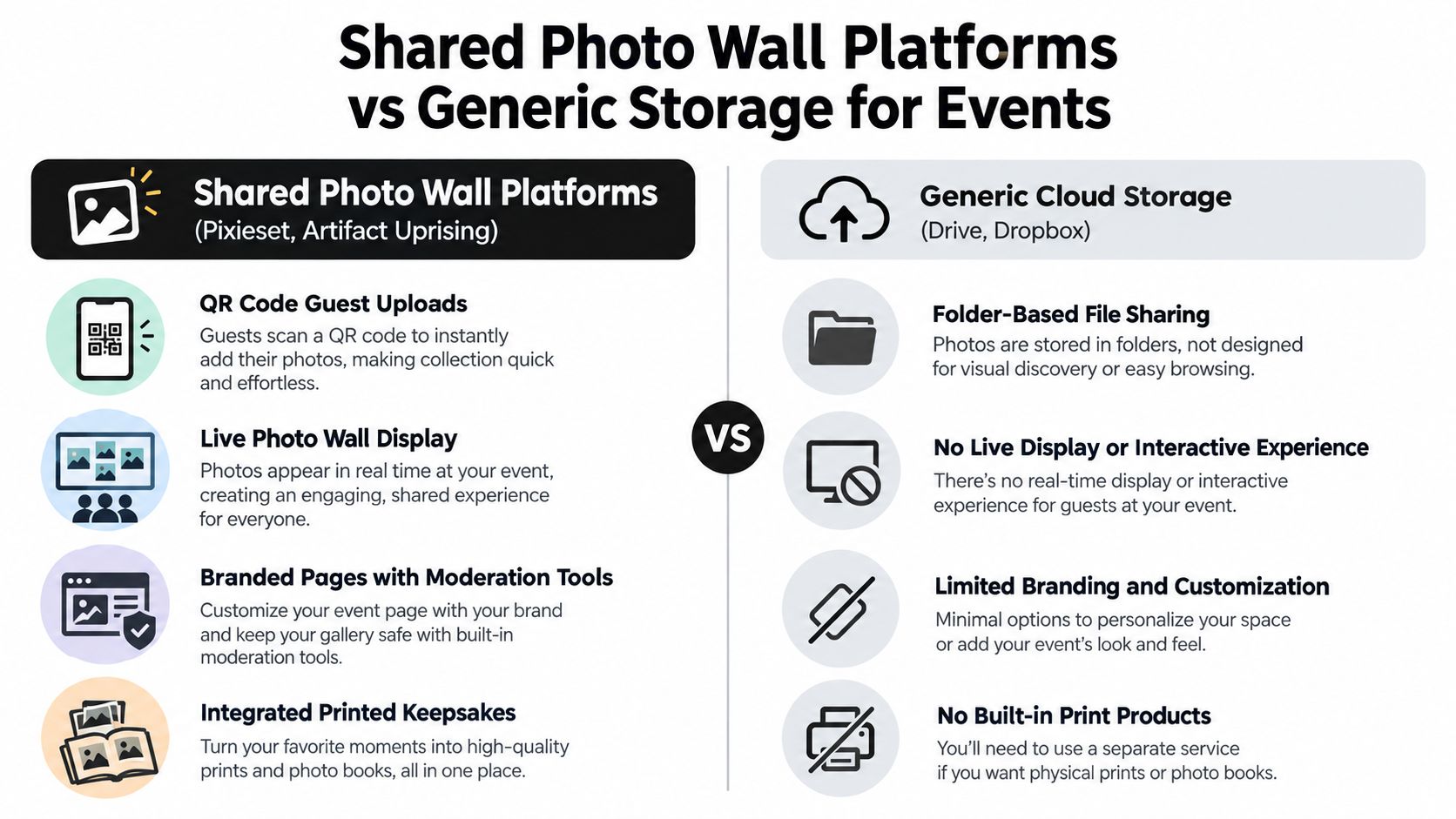
10. Shared Photo Wall and Guest Book Platforms
At a wedding reception, the photographer is covering the first dance while fifty guests are capturing the room from every angle. If the couple wants those phone photos in one place before the night ends, an Instagram-like feed is only part of the requirement. The full workflow matters more. Guests need a fast upload path, the host needs control over who can post and view, and the event needs a display that works during the celebration, not only after it.
Why this category stands apart
Shared photo wall and guest book platforms are built for collection first. That separates them from the storage-heavy tools above. The main job is not preserving a private family archive or delivering a polished client gallery. The main job is getting many contributors into one event stream with as little friction as possible.
That design choice changes every part of the experience. Contribution usually starts with a QR code or short link, which fits a birthday, reunion, fundraiser, or school event better than asking guests to join a folder or install a general photo app. Access control is still present, but it is lighter. Hosts can often decide whether uploads appear instantly, require moderation, or stay visible only to invited attendees. Organization is event-based from the start, so the photos read like a live timeline instead of a backup library.
A digital guest book can also change behavior at the event itself, especially when guests are prompted to leave a message with the photo or see submissions appear on a screen. That is the specific use case discussed in this digital guest book example.
Where these platforms fit best
For a private celebration, this category works well when the host wants active participation without turning the photos into a public social post. A wedding, quinceañera, or anniversary party benefits because guests can contribute easily, while the family still controls who gets access to the final gallery.
For a professional shoot, these tools are usually secondary. A photographer may use one during the event to gather guest candids, but client delivery, proofing, and print sales are handled better elsewhere.
For a larger live event, shared photo wall tools become more useful than personal library apps. Conferences, nonprofit galas, campus events, and brand activations often need fast guest contribution and visible display. They also need moderation, because openness raises the chance of duplicates, off-topic uploads, or low-quality submissions.
Trade-offs to check before choosing one
- Guest contribution: Usually the strongest option for crowd uploads, especially if guests join by QR code instead of account creation.
- Privacy control: Better than public social feeds, but often less strict than a closed family archive or a locked client gallery.
- Display and discovery: Strong for browsing one event as it unfolds. Weaker for long-term search across years of photos.
- Storage and ownership: Good platforms export cleanly, but they are rarely the final home for a lifetime photo library.
The non-obvious trade-off is that these tools solve the middle of the workflow better than the end of it. They are often the easiest way to gather and display event photos in real time. They are less reliable as the place where a family, company, or photographer wants to keep everything for years. For that reason, they work best as the event layer. Long-term storage usually belongs in a separate system once the celebration is over.
Top 10 Instagram Alternatives, Side-by-Side Comparison
| Platform | Core features | UX / Quality | Value & Price | Target audience | Unique selling points |
|---|---|---|---|---|---|
| Google Photos | Automatic backup, AI search, shared albums | ★★★★ Easy search & editing | 💰 Free (compressed) / paid storage | 👥 Budget-conscious couples & families | ✨ AI-powered search, Android + Google integration |
| Flickr | 1TB free, original-quality preservation, collections | ★★★ Photo-centric but dated UI | 💰 Free 1TB / Pro for advanced features | 👥 Photographers & quality-focused couples | ✨ Original-quality archival, strong photography community |
| Dropbox | Folder sharing, File Request, sync, versioning | ★★★★ Reliable, file-first UX | 💰 Limited free / paid tiers (business) | 👥 Corporate events & professional users | ✨ File Request for guest uploads, granular security |
| Amazon Photos | Unlimited original photos (Prime), Family Vault, prints | ★★★★ Great for Prime members | 💰 Included with Amazon Prime / extra for video | 👥 Prime families & multi-generational events | ✨ Family Vault + print products (books, prints) |
| OneDrive (Microsoft) | Office/Teams integration, sharing controls, backup | ★★★★ Enterprise-grade, Windows-native | 💰 Included with Microsoft 365 | 👥 Microsoft-centric organizations & teams | ✨ Deep Office/Teams integration, expiring links |
| SmugMug | Unlimited originals, customizable galleries, ecommerce | ★★★★★ Professional presentation | 💰 Paid (photographer tiers) | 👥 Professional photographers & high-end events | 🏆✨ Fully customizable galleries + selling tools |
| Zenfolio | Unlimited originals, gallery builder, ecommerce, CRM | ★★★★★ Photographer-focused, easy templates | 💰 Paid (photographer plans) | 👥 Wedding & event photographers | 🏆✨ Branded client galleries + sales & proofing |
| Shared Cloud Storage (iCloud/Drive/etc.) | Native photo apps, shared folders, auto-sync | ★★★ Seamless in-ecosystem | 💰 Free/paid via platform subscriptions | 👥 Users invested in Apple/Google/Microsoft | ✨ Device-native sync & simple sharing |
| Momento / Photo Vault Apps | Encrypted private storage, AI tagging, memories | ★★★ Privacy-first UX (app required) | 💰 Freemium / subscription | 👥 Privacy-conscious families & archivists | ✨ Encryption + memory surfacing, privacy-first |
| Shared Photo Wall / Guest Book (Pixieset, Artifact Uprising) | QR uploads, live wall, curated galleries, prints | ★★★★ Event-first, interactive displays | 💰 Per-event or subscription (premium) | 👥 Couples, planners & experiential events | 🏆✨ Live photo wall, branded pages & print keepsakes |
Match the Platform to the Way Photos Move
The easiest mistake in this category is comparing everything to Instagram's feed. Instagram is still one of the biggest reference points in visual social media. Independent 2026 reporting placed it at about 2.14 billion monthly active users in Q1 2026, while broader industry summaries put it closer to 3 billion monthly active users, and Meta-family daily active people reached 3.56 billion in March 2026, according to this 2026 Instagram statistics summary. That scale explains why people start with Instagram in mind. It doesn't mean Instagram is the right answer for event collection.
For family sharing, the safest choices are usually Google Photos or Amazon Photos. They work when the group is known, the privacy expectations are straightforward, and the main goal is to keep memories accessible after the event. If your event is a reunion, a birthday, or a small wedding with a familiar guest list, those platforms feel natural.
For photography-first archiving, Flickr still stands out. It treats photos like assets worth organizing, not disposable posts. If the event matters visually and someone is willing to curate, Flickr has a stronger long-term logic than a general social app.
For business workflows, Dropbox and OneDrive make more sense than almost any feed-style platform. They separate contribution from management, which is exactly what conferences, schools, and comms teams often need. They won't feel warm, but they usually feel clear.
For professional delivery, SmugMug and Zenfolio are stronger than casual consumer tools. A photographer can shape the client experience, protect access, and publish a gallery that feels finished. That matters when the event includes paid coverage or print sales.
The biggest decision point is whether your event needs passive sharing or active participation. If people just need a place to browse, many storage and gallery tools will work. If you need guests to upload on the day, without chasing them later, you need to test friction first. Can guests contribute without installing an app. Do they need accounts. Can you moderate incoming photos. Can you export the full set in original quality. Does the link stay useful after the upload window closes.
That's where event-specific platforms earn their place. Industry summaries describe Instagram as reaching around 3 billion monthly active users, with about half of users discovering new brands while browsing, and separate reporting places the ad-reachable audience at roughly 1.74 billion, as noted in this Instagram audience and discovery overview. The implication for event organizers is simple: people are already comfortable with visual sharing behavior. The gap isn't willingness. The gap is workflow.
For weddings, birthdays, graduations, conferences, festivals, and similar events, EventUploader addresses that collection gap with a branded upload page, one link or QR code, a live dashboard, original-quality export, and a same-link gallery after the event. That setup is useful when the host wants control without making guests create accounts. Before you commit to any platform, test the permission model, upload steps, moderation controls, ownership of the files, and export process. Also think about what happens after the event, especially if you plan to repurpose images, print albums, or crop pictures for Instagram posts later.
If your main problem is collecting everyone's photos without app friction, EventUploader gives you a branded upload page that guests can open from a link or QR code in their browser. You can watch files come in live, manage the collection from one dashboard, and publish a gallery from the same link after the event.